
General Information
-
The alea Dock is positioned in the vicinity of the assigned care recipient. Since it uses Bluetooth Low Energy (BLE) wireless technology, it does not need to be placed directly next to the care recipient.
-
The preferred location is near a power outlet and where the cable does not pose a hazard or interfere with daily care activities.
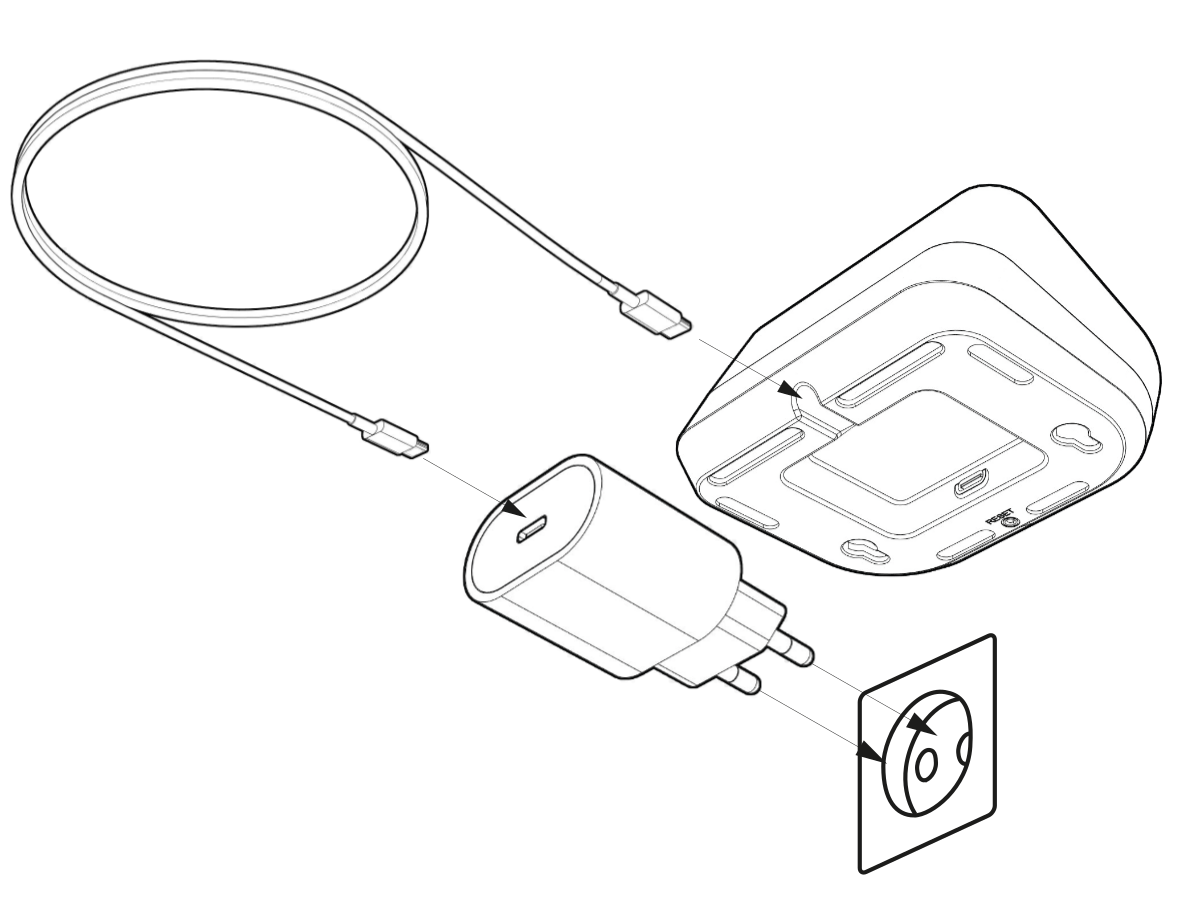
Switching the alea dock on and off
|
|---|
|
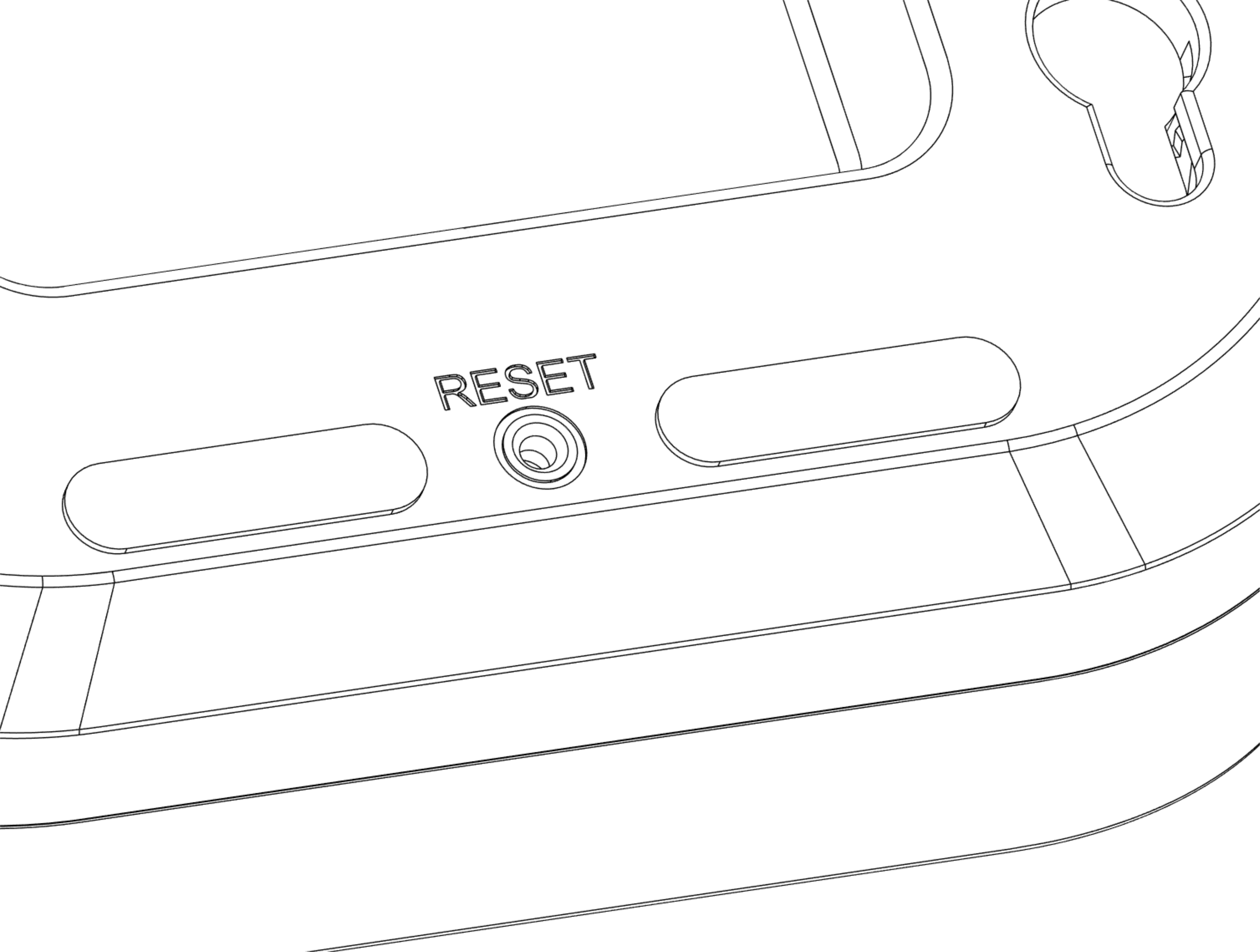
Resetting the alea dock
|
|
|
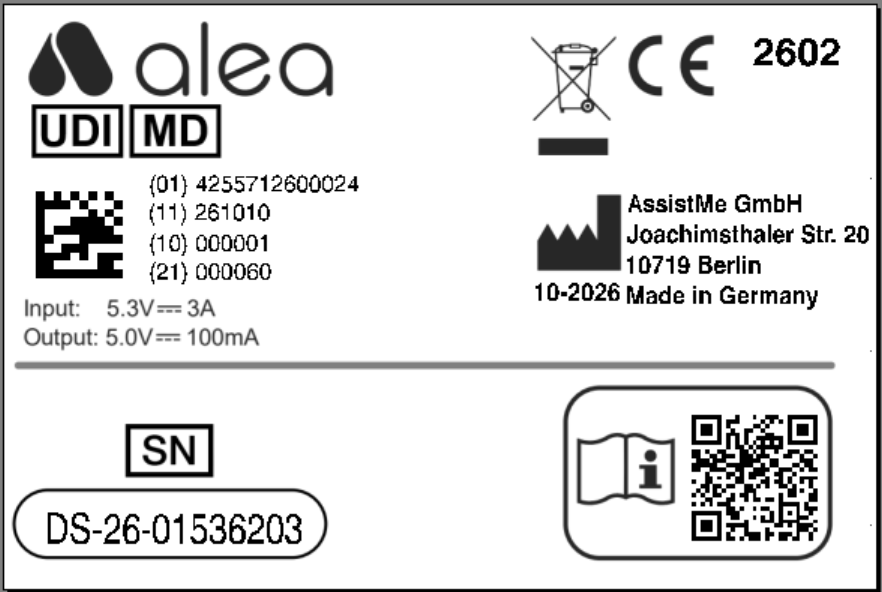
Recognising which care recipient the respective alea dock belongs to |
|
|
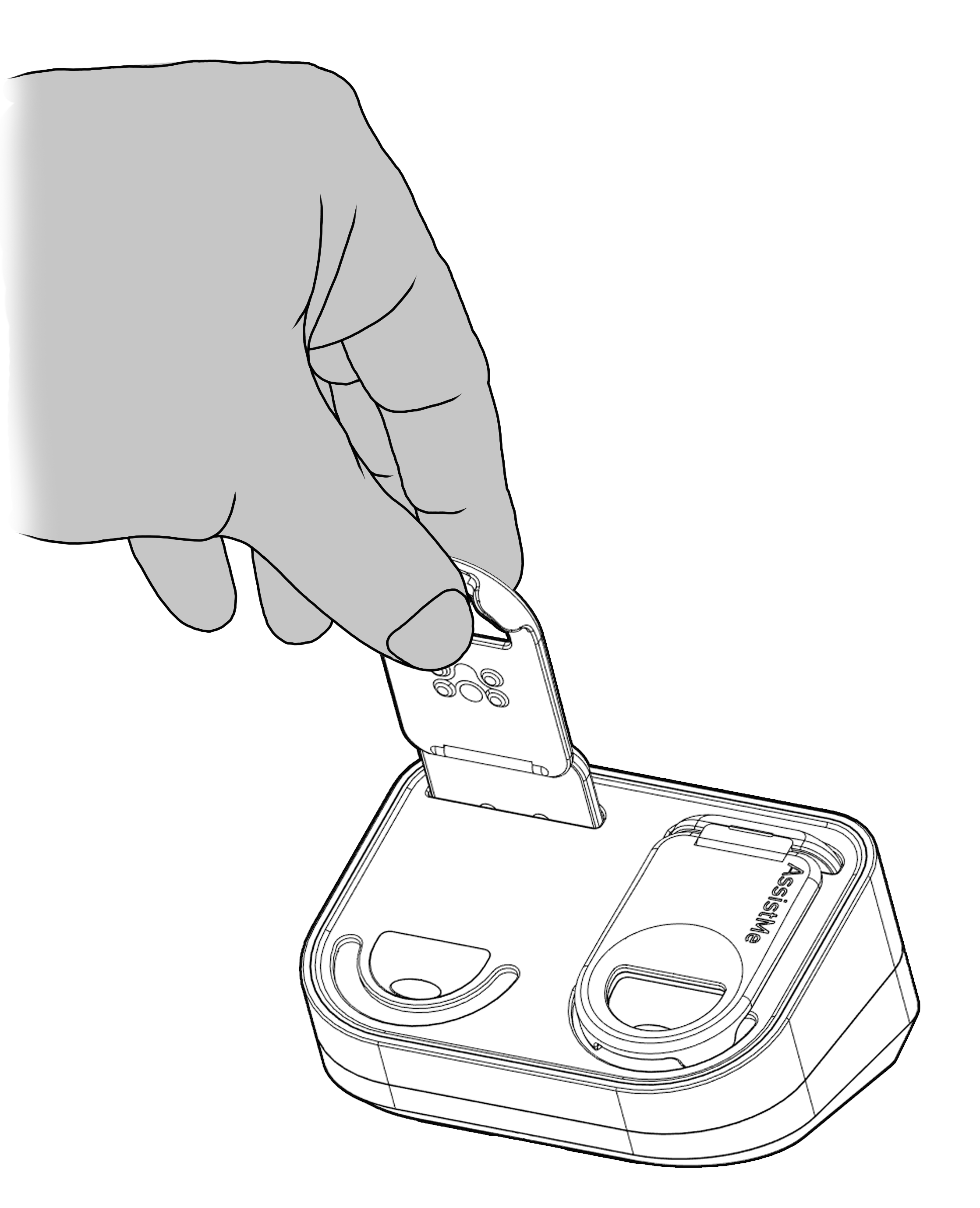
Insert alea Clip into alea Dock for charging, at the same time assign alea clip to the owner of the alea Dock |
|
Overview of usage instructions for the alea dock
Best placement of the alea dock at the care location or in the care recipient's room
-
In the immediate vicinity of a power socket and where no-one will be disturbed by the cable.
-
Ideally, the best place is within reach of the care recipient's bed so that the two alea clips can be replaced quickly if necessary.
-
And it should be at least 30 cm away from other electronic devices.
-
Caution: No placement should take place in the bathroom or directly at the site of regular ICP changes.
Cleaning the alea dock
-
Simply wipe the appliance with a damp cloth.
Disinfect the alea dock
-
Use disinfectant on a cloth and wipe it with it.
The power supply for the alea dock
-
is via the supplied cable and a standard socket.
-
The power cable should be securely fastened to minimise the risk of accidents.
-
Place the alea router on a stable surface and connect the cable to a fixed socket.
-
Connection to a multiple socket is technically possible, but is not recommended.
-
When using such devices, please observe the respective manufacturer's specifications, such as the maximum voltage.
Charging and Status Information for the alea Dock
The alea Dock is used for power supply, charging compatible alea Clips, and performing the intended device assignment within the system.
After inserting an alea Clip into the alea Dock, charging and connection status are indicated through the system's central status and LED logic.
-
Successful charging is confirmed by the corresponding status indication.
-
Partially charged states or functional abnormalities are indicated according to the status logic described in these Instructions for Use.
-
The status indication on the hardware itself is always authoritative, supplemented by the corresponding information displayed in the alea App and alea Cockpit.
In Case of Charging, Connection, or Functional Problems with the alea Dock
-
First, check the power supply, cable connection, and secure placement of the alea Dock at the intended location.
-
Verify that the inserted alea Clip is correctly and fully seated in the charging compartment.
-
If necessary, press the reset button located on the underside of the alea Dock as described above.
-
Recheck the charging and connection status after a few minutes.
-
If the problem persists, use a replacement component according to the operator's procedures and inform the responsible care personnel or technical support contact.
Important: The power supply of the alea Dock should be checked regularly and whenever functional abnormalities are observed.
Overview of All Hardware Components in Use
All active alea Docks, alea Clips, and other hardware components in use are displayed in full within the Hardware section of the alea Cockpit.
In particular, device assignments, charging status, connection status, and operational abnormalities can be reviewed there.
If problems persist, the inspection and escalation procedures described in Section 2.5 should be followed.