Hint
-
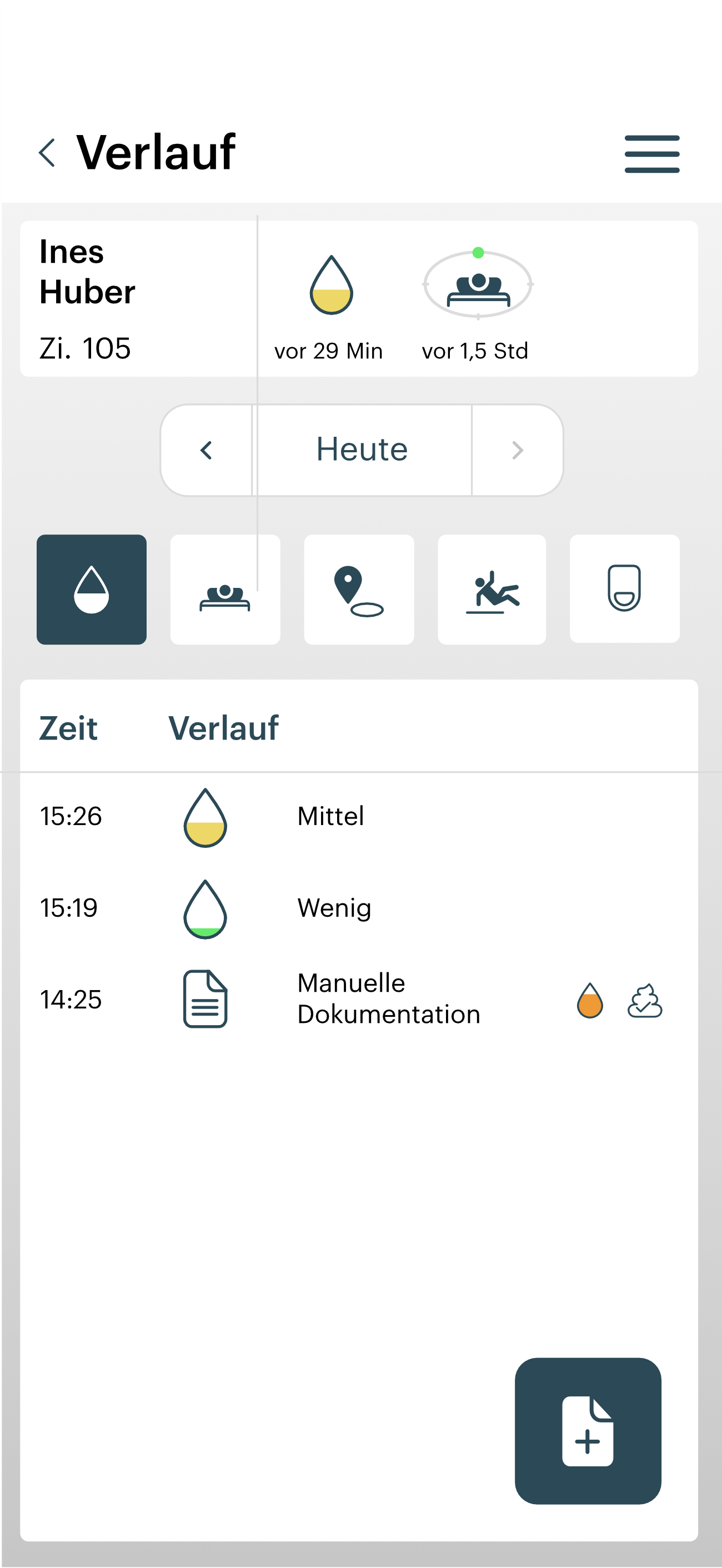
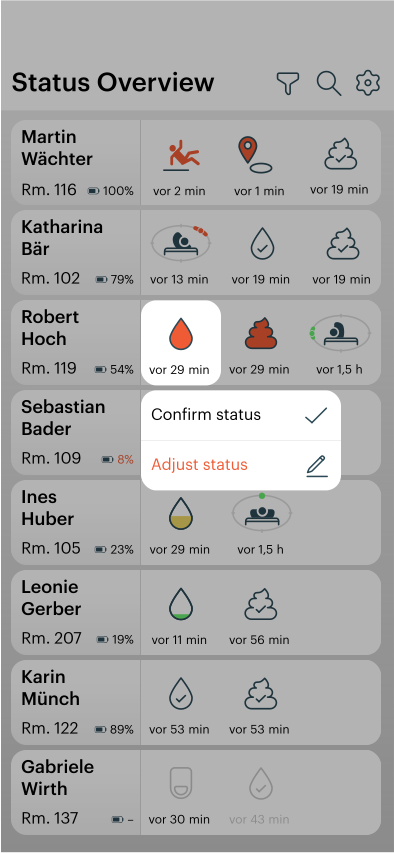
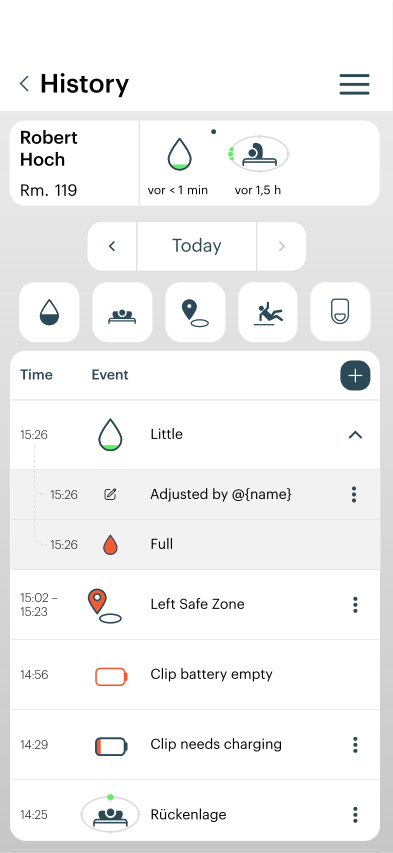
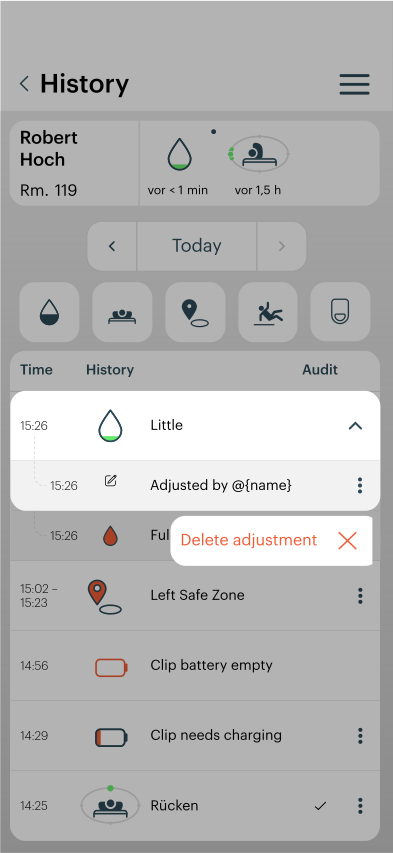
This function allows your own observations to be compared with the information and status indicators displayed in the alea App and, if necessary, documented as a manual correction, for example if the observed fill level differs from the displayed status level.
-
The status display is based on predefined status levels. Adjacent status levels may be considered clinically comparable within the care context. For example, a displayed Maximum Fill Level may, in individual cases, correspond to a situation that is clinically assessed as High Fill Level.
-
The manual documentation function is intended to transparently document such deviations within the care context and make them traceable.
-
These records support care transparency and the continuous evaluation of notification quality in routine use.
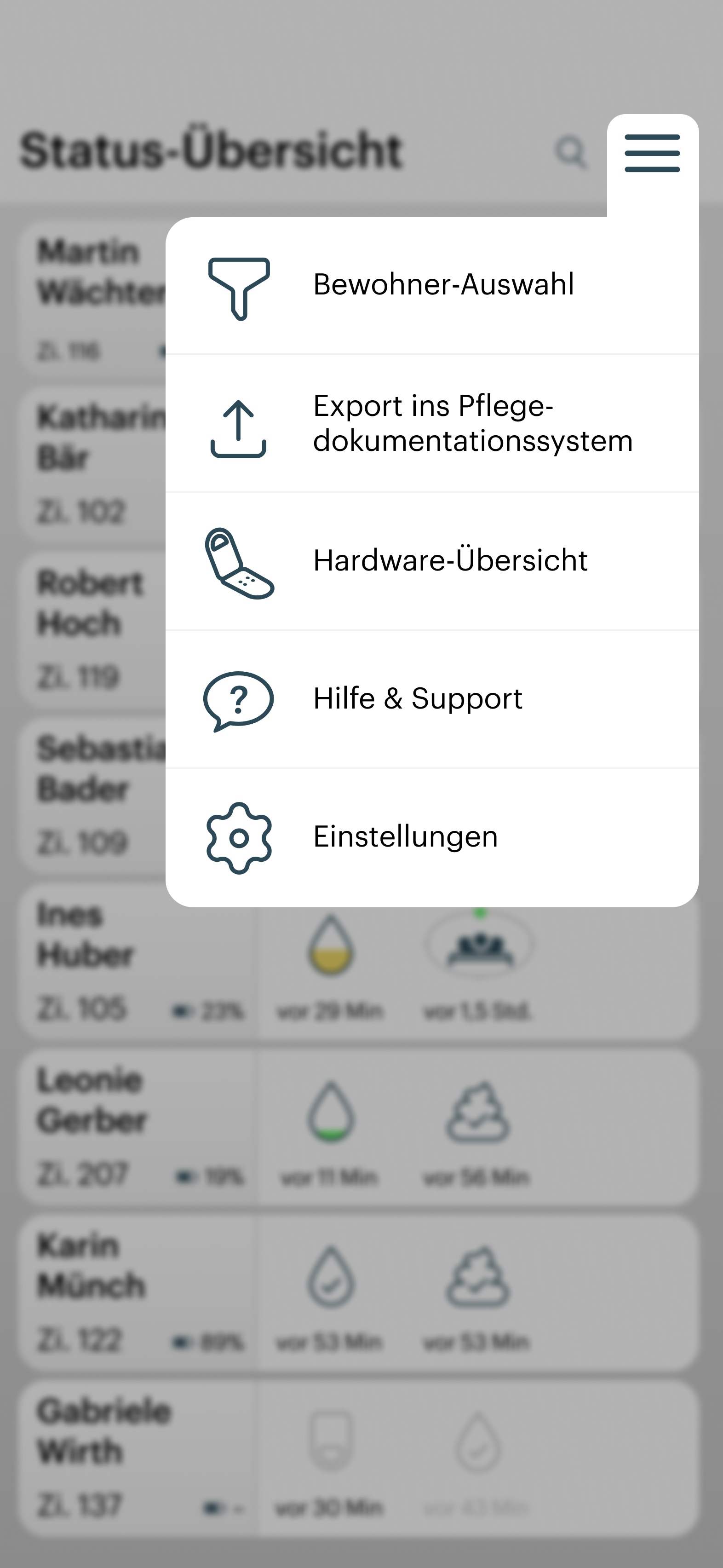
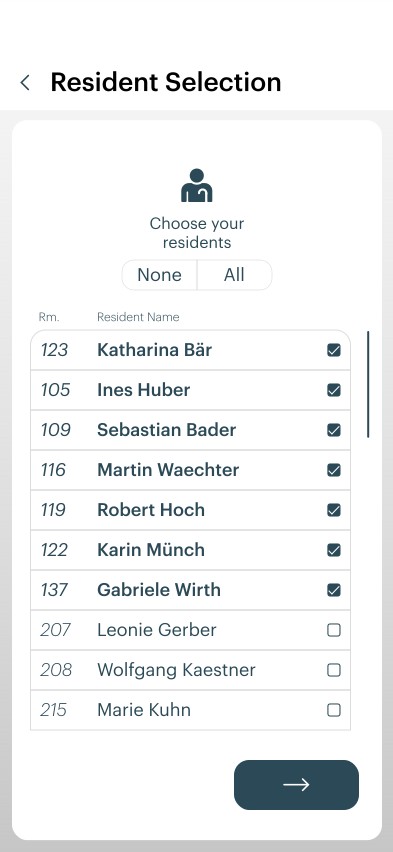
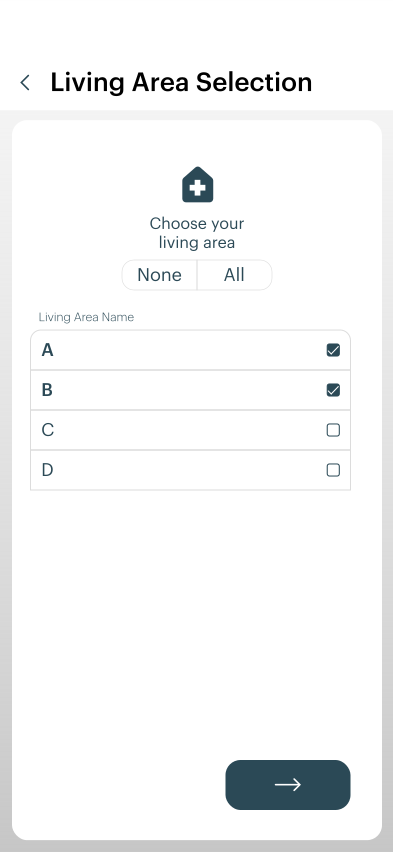
Select the care recipient and care facility
|
|
|---|---|
|
|
|
|
|
|
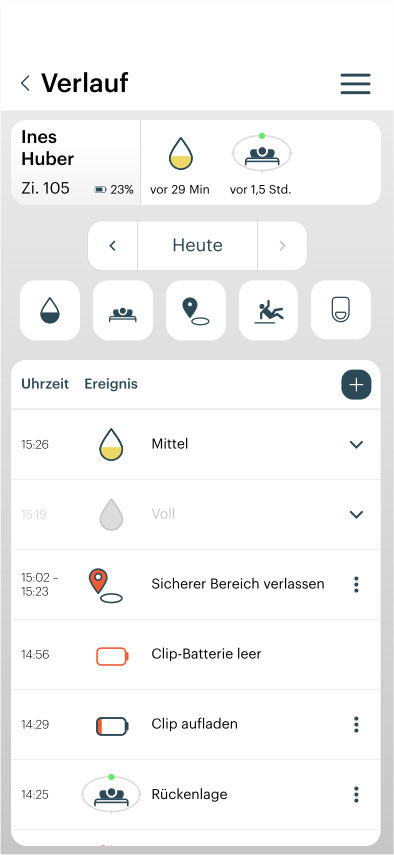
Filtering a Care Recipient's History
|
|
|---|---|
|
|
|
|
Customise an event
|
|
|
|
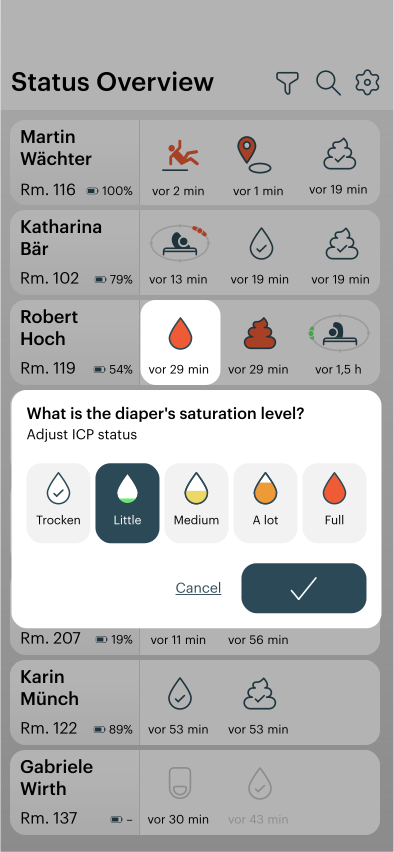
|
|
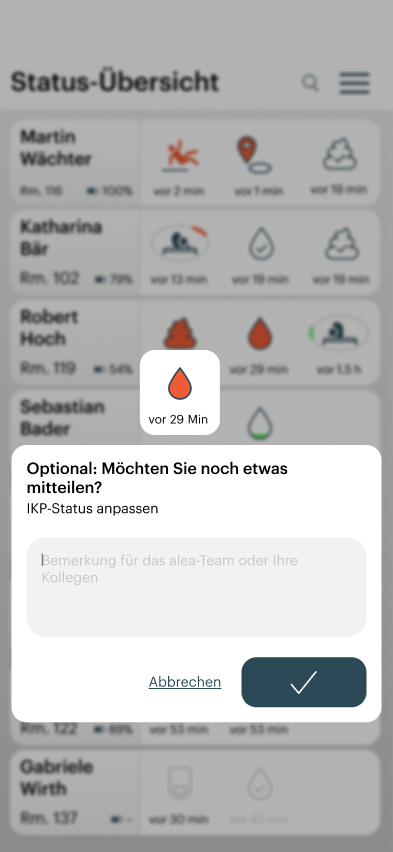
|
|
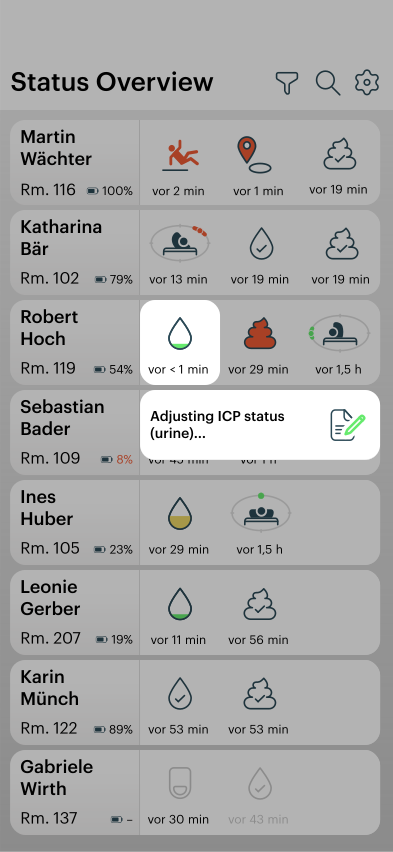
|
|
Delete an adjustment
|
|
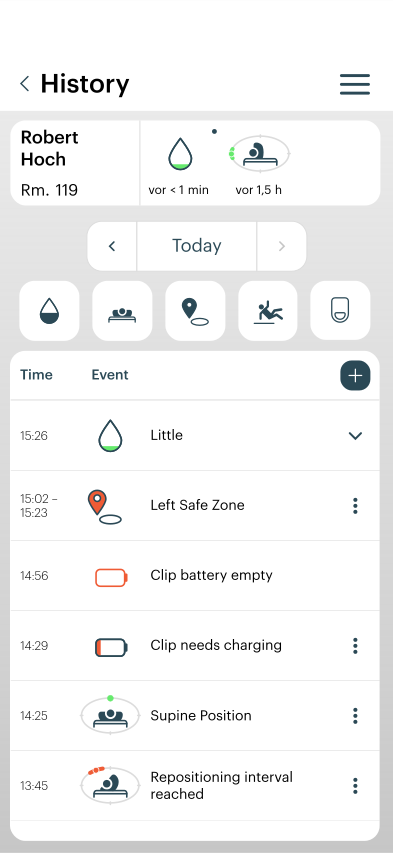
|
|
|
|
|
|
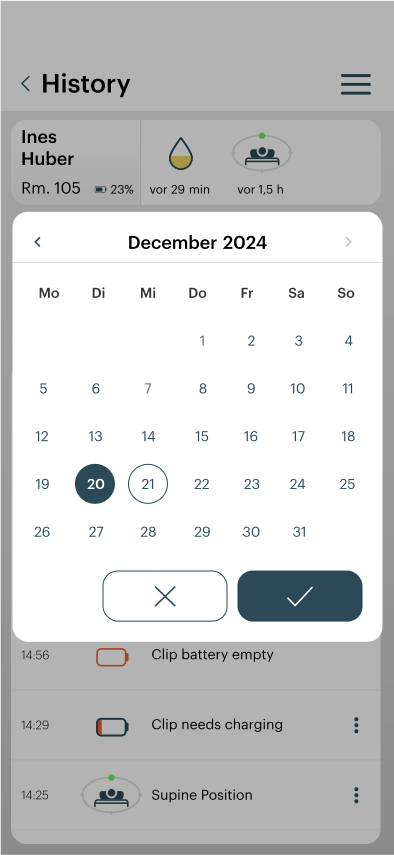
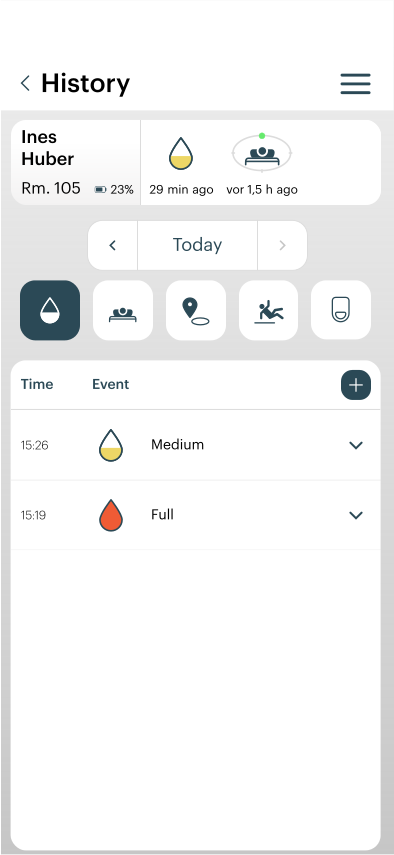
Filter the history of a care recipient
|
|
|
|
|
|
|
|
|
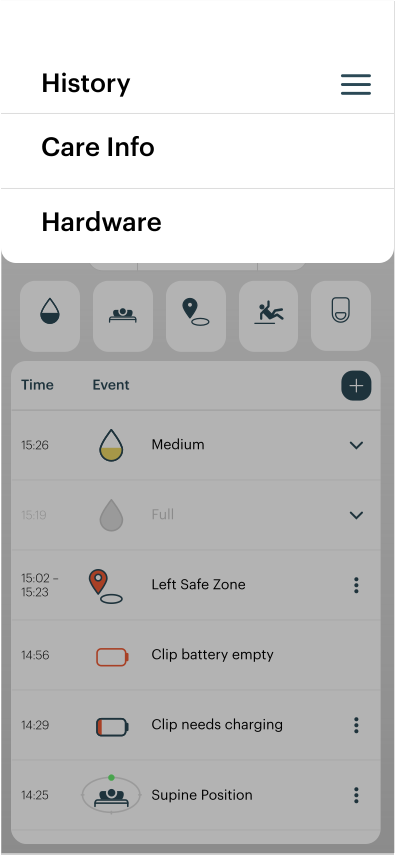
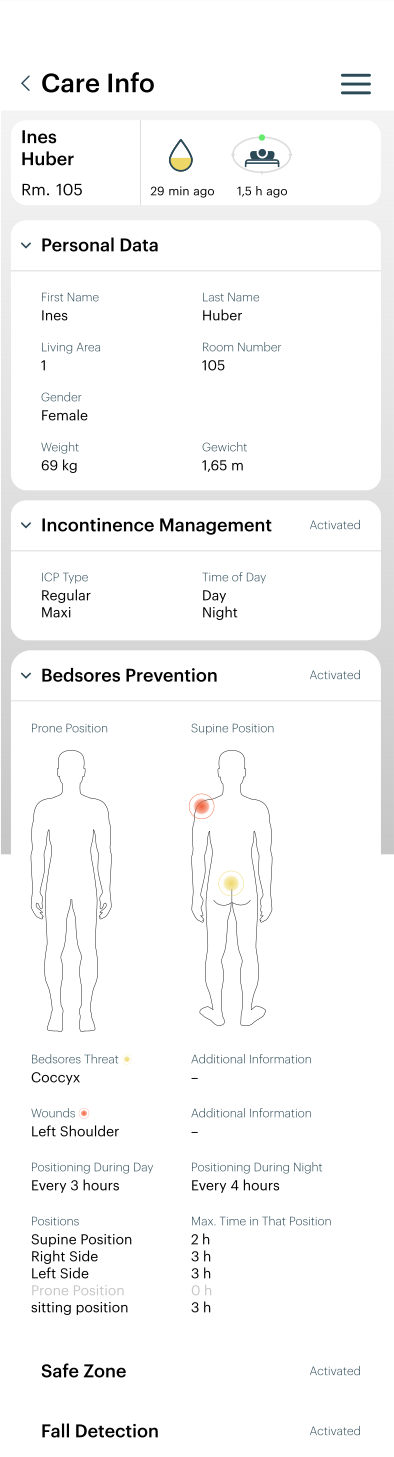
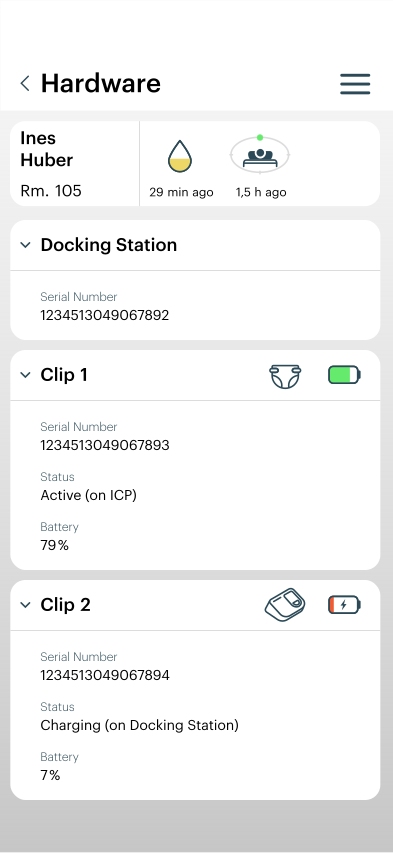
Obtain information about a care recipient and the hardware assigned to them
|
|
|
|
|
|
|
|
General Instructions for Daily Use of the alea App
If Information Is Missing in the alea App (e.g. alea Docks or Care Recipient Data)
-
Contact the responsible care personnel or system administrators directly.
-
Not all care recipients are necessarily approved for use with alea and may therefore not appear in the App.
-
Simultaneous use by multiple authorized users may affect the current visibility of certain information.
-
In addition, a care recipient may have been temporarily paused or assigned to another area.
-
In such cases, first verify the currently selected ward or area in the filter view.
Three Incorrect Password Attempts During Login
-
After multiple incorrect password entries, access may be temporarily blocked.
-
In this case, the responsible care personnel or system administrators can reset the password or provide new credentials.
-
Only the credentials authorized for your user role are valid.
If You Are Assigned to the Wrong Area
-
The currently visible ward or area can be adjusted via the Settings section.
-
If the responsible area is completely missing, the assignment must be reviewed and corrected by the responsible care personnel or system administrators in the alea Cockpit.
Login Credentials and Care Setting ID for the alea App
-
Username, password, and any required area or care setting assignments are provided by the responsible care personnel or system administrators.
-
Example information shown in screenshots is for illustration purposes only and may differ from the actual labels used.
Symbol Overview in the alea App
-
An overview of all relevant status symbols is available in the Settings section.
-
The symbols relevant to your enabled functions are explained there.
-
Additional ward-specific symbol guides or quick reference materials may also be used.
Feedback Regarding Deviating Notifications or Status Displays
-
Observed differences between the actual care situation and the information, status indicators, notifications or reminders displayed in the alea App should be documented and reported to the responsible care professionals.
-
The manual adjustment or supplementary documentation function can be used for this purpose.
-
These reports support transparency in daily care and the continuous evaluation of notification quality in routine use.
If Notifications Are Delayed or Not Displayed
-
Notifications may be delayed or unavailable if an alea Clip is temporarily outside the communication range of an alea Dock or an alea Router, or if network connectivity is limited.
-
This may occur, for example, in outdoor areas or locations with limited infrastructure coverage.
-
Once the connection has been restored, recorded data are transmitted and displayed in the alea App with the corresponding delay.
-
Push notifications and reminders may be delayed or may not be delivered. The information and status indicators displayed within the alea App, together with the professional assessment of the care situation, remain the authoritative basis.
Push Notifications on Mobile Devices
-
To receive certain status changes, notifications or reminders as push notifications on a smartphone or tablet, push notifications for the alea App must be enabled on the mobile device.
-
Push notifications supplement the information displayed within the alea App. They may be delayed or may not be delivered.
-
Regardless of push notification delivery, the corresponding information, status indicators, notifications and reminders remain available within the alea App.
Reliability of the Displayed Status Symbols
-
The information, status indicators, notifications and reminders displayed in the alea App are intended to support care professionals in organizing, planning and prioritizing care activities.
-
They should always be assessed in the context of the actual care situation.
If discrepancies exist between the information displayed in the App and the actual care situation, a manual correction or supplementary documentation may be recorded.
-
These records support care transparency and the continuous evaluation of notification quality in routine use.
Push Notifications for Status and Event Messages
-
For certain status changes, notifications or reminders, such as Maximum Fill Level, High Fill Level, a Fall Suspicion Notification, an Area Exit Notification, or when a Configured Repositioning Interval Has Been Reached, an additional push notification may be displayed on the mobile device.
-
Push notifications and reminders supplement the information and status indicators displayed within the alea App.
-
Push notifications and reminders may be delayed or may not be delivered.
-
They do not replace regular use of the alea App or the professional assessment of the care situation.
-
They do not constitute an alarm or emergency function and must not be used as the sole basis for care-related decisions.